


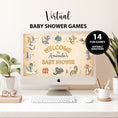
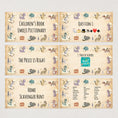
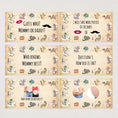
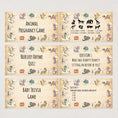
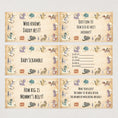
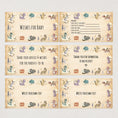
Perfect for parents-to-be who love fantasy, these interactive and fun-filled games will bring excitement, laughter, and adventure to your online baby shower. Gather friends and family, breathe fire into the party, and create legendary memories—no matter the distance!
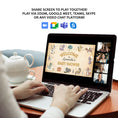
Share the game screen with your guests to play together. Play via Zoom, Google Meet, Microsoft Teams, Skype, or any video chat platform that allows screen sharing.
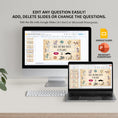
Edit and change any questions easily! You can also add, delete or change the order of the slides.
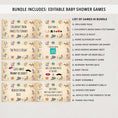
♥ LIST OF GAMES
A. Welcome page
1. Children’s Book Emoji Pictionary (10 questions)
2. The Price is Right (10 questions)
3. Home Scavenger Hunt
4. Guess who? Mommy or Daddy (10 questions)
5. Who Knows Mommy Best (10 questions)
6. Baby Bump or Beer Belly (12 questions)
7. Animal Pregnancy game (8 questions)
8. Nursery Rhyme Quiz (10 questions)
9. Baby Trivia (10 questions)
10. Who Knows Daddy Best (10 questions)
11. Baby Scramble (10 questions)
12. How Big is Mommy's Belly
13. Wishes for Baby
14. Advice for the parents-to-be
B. Thank you page
*Answer key is included.*
♥ WHAT YOU WILL RECEIVE
1. Editable PowerPoint slides of the games
2. Free 'How to have a Virtual Baby Shower' PDF guide
♥ HOW TO EDIT THE TEXT OR ADD/DELETE SLIDES
Import the .pptx file to Google Slides (it's free!) or open it using Microsoft Powerpoint.
♥ FAQ
Q1. When will I receive the files?
This is an instant download. After verification of payment, you will receive an email to download the files.
Q2. Do I need Powerpoint to use this?
No. You can open it at Google Slides. It is free for access.
Q3. How do I change the text of the slides?
Import the file to Google Slides or open it using Microsoft Powerpoint. Edit the text and download it separately.
Q4. I only need some games. How can I choose the games that I need?
Import the file to Google Slides or open it using Microsoft Powerpoint. Delete the slides that you do not need. Download it separately.
Q5. I wish to have a different spelling as I am in Australia/UK/Canada, can I change the spelling?
Yes. You can edit the text to change the spelling using Google Slides or Microsoft Powerpoint.